SOFTWARE ENGINEERING / APPLIED AI

Custom software
development &
AI automation
in Pakistan.

NexZion provides custom software development and AI automation for businesses in Pakistan. We build applications, connect ERP, POS and other business systems, and support delivery from requirements through implementation.

From the first conversation to the next release.

EXPLORE OUR CAPABILITIES

01 / SOFTWARE ENGINEERING

Your workflows.
Your software.

PeopleProcessesData
A business platformDesigned around your operation
Web & mobileIntegrationsReporting
Explore software engineering

02 / APPLIED AI

Useful intelligence.
Human direction.

DocumentsKnowledgeEnquiries
Assistance with oversightApproved sources. Clear review steps.
PrepareReviewTake action
Explore AI & automation

03 / CONNECTED OPERATIONS

The whole business.
Working together.

SalesPurchasingStock
Connected operationsShared workflows and business information
AccountsBranchesReporting
Explore business systems

Selected businesses
we have worked with

View implementation scope ↗
  • Bismillah Cotton Ginning
    & Allied Industries
  • Al Ghafoor
    Grand Marquee
  • Tanveer Hospital

What we do

Business needs.
Engineering answers.

Software development, practical AI and connected systems, shaped around the work you need to improve.

Discuss your requirements

Custom software & platforms

For a business process that off-the-shelf tools do not fit.

Business applications, customer portals and mobile experiences designed around your users and workflows.

  • Web & mobile applications
  • Portals & API integrations
  • Workflow-specific development
Explore software engineering

AI & business automation

For repetitive work that needs better information and clear review.

Put useful intelligence into everyday work, with clear review points and control over how it is used.

  • Knowledge & support assistants
  • Document & enquiry workflows
  • Connected reporting
Explore AI & automation

ERP & business systems

For operations that need to share consistent business information.

Connect sales, stock, accounts and operations with software that supports your working day.

  • ERP & POS platforms
  • Inventory & business reporting
  • Implementation & staff guidance
Explore business systems

Websites & digital commerce

For a clearer customer journey, from first visit to enquiry or purchase.

Clear, purposeful digital experiences that help customers understand your business and take action.

  • Business websites & ecommerce
  • Responsive customer journeys
  • Search visibility & integrations
Explore digital experiences
Connected invoicing for Pakistan

FBR Digital Invoicing, FBR POS and PRA integration services.

Explore integration services ↗

Products & selected work

Built around
real operations.

View all documented work
NEXZION / POSRETAIL & WHOLESALE
SalesStockPurchasesReporting

Live product / Retail & wholesale

NexZion POS

A connected product for the working day: make a sale, track stock, manage purchasing and review business information.

Business context
Retail & wholesale
Scope
Sales, stock, purchasing and business reporting

NEXZION / INDUSTRY ERPCONNECTED OPERATIONS
ProductionInventoryAccountsBranches

Product development / Industry ERP

Cold Storage & Ice Factory ERP

Industry-specific software development connecting the flow of stock and production with accounts and branch operations.

Business context
Cold storage & ice production
Scope
Production, inventory, accounts and branch workflows

Documented website launch / July 2025

YIWU AL FAJAR Shipping & Logistics

The founder’s recorded contribution to website development, content and launch.

View the project record ↗

Ideas in practice

See what better
could look like.

Explore three illustrative workflows. Your requirements shape the final solution.

EXAMPLE 01 / CONNECTED OPERATIONS

An order should move.
Not be entered twice.

A customer order connects sales, stock and the team preparing delivery. Each person sees the part of the work they need.

START WITH
A confirmed customer order
CONNECT
Sales, stock and fulfilment
KEEP CONTROL
Review stock exceptions before dispatch
Plan a workflow like this
THE WORKFLOW
  1. 01

    Order received

    Capture the customer, products and delivery details once.

  2. 02

    Stock reviewed

    Check availability and flag items that need attention.

  3. 03

    Dispatch prepared

    Give the operations team an approved picking list.

THE AIM

One shared workflow, from customer request to fulfilment.

EXAMPLE 02 / PRACTICAL AI

Less retyping.
More time to review.

Turn a purchase request into a structured draft. Keep a person responsible for checking the details before anything is approved.

START WITH
An incoming purchase request
CONNECT
Document handling and approvals
KEEP CONTROL
A person verifies the proposed record
Plan a workflow like this
THE WORKFLOW
  1. 01

    Request received

    Read the request from an approved document source.

  2. 02

    Draft prepared

    Organise the item, quantity, destination and due date.

  3. 03

    Person reviews

    Confirm or correct the draft before it enters the workflow.

THE AIM

AI assists with preparation. Your team makes the decision.

EXAMPLE 03 / DIGITAL EXPERIENCE

A better first visit.
A clearer next step.

Connect the public website to a useful enquiry process and, where needed, a customer portal. Give visitors a clear way to ask for help.

START WITH
A visitor with a business requirement
CONNECT
Website, enquiries and customer access
KEEP CONTROL
Define ownership and access permissions
Plan a workflow like this
THE WORKFLOW
  1. 01

    Visitor enquires

    Collect the details relevant to the service they need.

  2. 02

    Team follows up

    Route the enquiry to a person with the right context.

  3. 03

    Customer stays informed

    Provide agreed updates or role-based portal access.

THE AIM

A coherent customer journey, supported by the right systems.

Applied AI

Useful AI starts
with a useful task.

Choose a business task, define the information the system can use, and agree how your team will check the result. Then build and evaluate a focused first version.

Choose a use case

Three workflows to consider

Select a workflow to see the information it receives and what a person would review. These are prepared examples.

01 / INPUT

An incoming purchase request

“Please arrange 24 units of item A for the Lahore branch by Friday.”
Fictional example
02 / PREPARED FOR REVIEW
Item
Item A
Quantity
24 units
Destination
Lahore branch

A structured draft, ready for a person to verify before any order is created.

✓ Human approval before action
01 / INPUT

A question from your team

“Where can I find the approved stock return procedure?”
Fictional example
02 / PREPARED FOR REVIEW
Source
Approved internal guidance
Response
A relevant answer with source references
Escalation
Ask a person when the answer is unclear

A faster path to the right information, with source access defined for each user.

✓ Human approval before action
01 / INPUT

A new customer message

“We need stock and sales software for three branches. Can we see a demo?”
Fictional example
02 / PREPARED FOR REVIEW
Interest
ERP / POS
Requirement
Three branches
Next step
Prepare a follow-up for review

A prepared enquiry record and suggested follow-up, with your team controlling the response.

✓ Human approval before action

Before a pilot becomes part of the business

Data & access
Agree the sources, permissions and information the assistant is allowed to use.
Human oversight
Define what can be prepared automatically and what needs a person’s approval.
Evaluation
Test representative tasks and decide what a useful, acceptable result looks like.
Business professionals collaborating in a modern office meeting
Understand the work before defining the software.Illustrative stock photography

Our approach

Good software starts
with understanding the work.

Your team’s daily work, existing systems and practical constraints should shape the project. We discuss those before agreeing what to build.

Connect what already works

Review your current software and data before defining new integrations, extensions or replacement plans.

Make ownership and access clear

Agree who can use each feature, how information is handled and what your team receives at handover.

Validate real business scenarios

Turn the agreed scope into practical checks with the people who will use the system.

Plan beyond the launch

Define staff guidance, support responsibilities and how future improvements will be prioritised.

Meet NexZion Solutions ↗

Project delivery

A clear path.
Visible progress.

Agree the scope, review the work and prepare your team to use it. These are the review points we discuss when planning delivery.

  1. 01 / Discover

    Understand the business

    Review your process, users, existing tools and the improvement you need.

    Discovery review
    • Current workflow and users
    • Existing systems and dependencies
    • The first useful business outcome
  2. 02 / Define

    Make the scope clear

    Agree features, responsibilities, integrations and delivery milestones.

    Scope review
    • Features and acceptance criteria
    • Responsibilities and milestones
    • Integration and data requirements
  3. 03 / Engineer

    Build & validate

    Develop or configure the solution and test the agreed business scenarios.

    Build review
    • Working features to review
    • Agreed business scenarios to test
    • Issues and decisions to resolve
  4. 04 / Implement

    Launch & support

    Prepare staff guidance, handover and the ongoing support arrangement.

    Handover review
    • Access and operating guidance
    • Deployment and handover responsibilities
    • An agreed support arrangement
What we agree before deliveryScope & milestonesAccess & responsibilitiesTesting & handoverSupport arrangements
Get to know NexZion Solutions

Industry perspectives

Software requirements
vary by industry.

Explore the workflows and planning considerations for your industry.

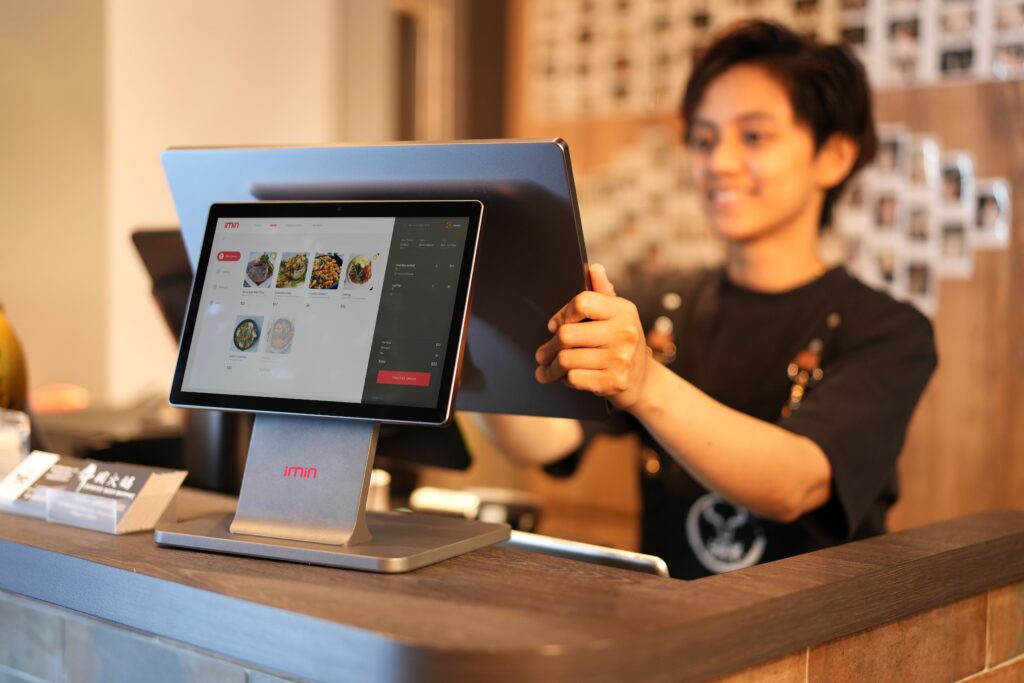
Retail cashier using a touchscreen point-of-sale system
Industry context · Stock photography

Retail & wholesale

Sales, stock and purchasing

Bring counter sales, purchasing and stock visibility into a connected working day.

  • Billing & barcode workflows
  • Purchases, returns & inventory
  • Branch and business reporting
Explore retail software ↗
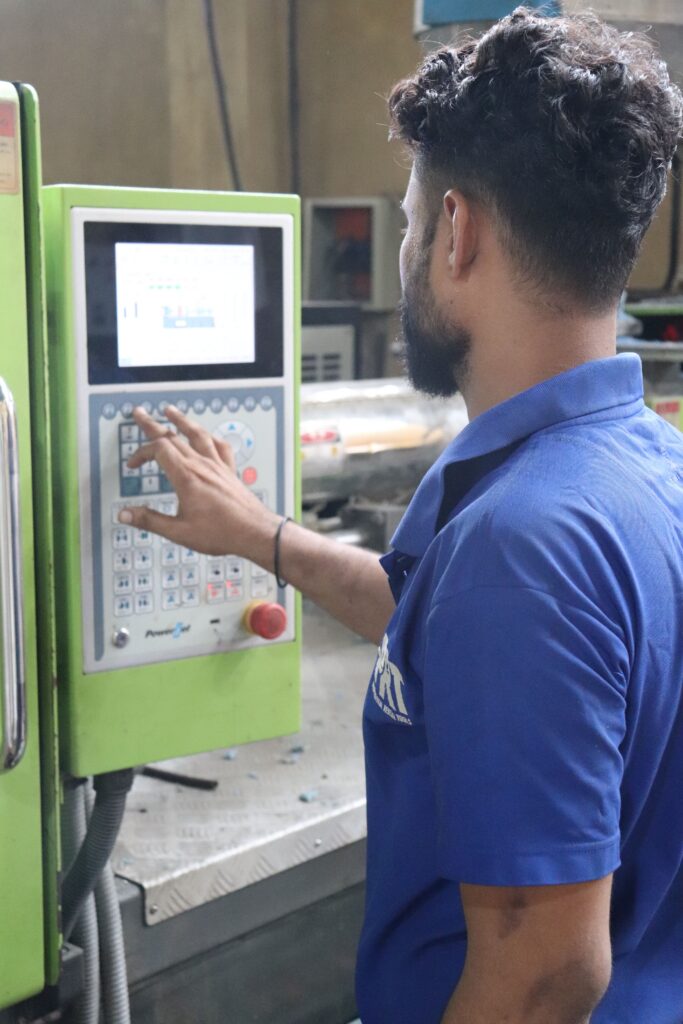
Factory worker operating an industrial machine control panel
Industry context · Stock photography

Manufacturing

Materials, production and accounts

Plan the flow between materials, production, stock and accounts around the way your operation works.

  • Material and production tracking
  • Inventory and costing workflows
  • Branch and management reporting
Explore ERP systems ↗
Large warehouse with organized pallets and inventory
Industry context · Stock photography

Logistics & distribution

Orders, stock and customer information

Connect customer-facing information with the workflows your distribution or logistics team relies on.

  • Customer portals & enquiries
  • Order and stock visibility
  • Workflow and system integrations
Explore custom software ↗
Business professionals collaborating in a modern office meeting
Industry context · Stock photography

Business services

Enquiries, documents and client work

Reduce scattered information and repeated handling with focused business software and practical automation.

  • CRM and enquiry management
  • Knowledge and document workflows
  • Client portals and reporting
Explore business automation ↗
Teacher and students learning together in a classroom
Industry context · Stock photography

Education

Student records and administration

Define the needs of administrators, staff, students and parents before choosing a management system.

  • Admissions and student records
  • Fees and administrative workflows
  • Communication and access planning
Read the education guide ↗
Medical staff at a modern healthcare reception desk
Industry context · Stock photography

Healthcare

Reception and administrative workflows

Plan reception, appointment and operational software around staff needs and appropriate access to information.

  • Appointments and reception
  • Billing and operational reporting
  • User access and data handling
Read the healthcare guide ↗

Ways to work together

Choose a starting point
for your project.

Begin with one priority, build a connected platform or improve an existing system.

01

A focused first phase

Turn a priority into a practical first release.

  • Discovery and scope
  • A defined workflow or feature
  • Review before the next phase
Plan the next step ↗
02

A connected business platform

Bring the moving parts of your operation together.

  • Process and system mapping
  • Modules and integrations
  • Testing, rollout and guidance
Plan the next step ↗
03

Continuous improvement

Make your existing technology more useful.

  • Review current friction
  • Prioritise improvements
  • Agree ongoing support
Plan the next step ↗

Interactive project planner

Put your requirements
into a starting brief.

Choose your priorities, then download a starting brief or add it to your enquiry.

01 What would you like to do?
02 Where are you starting?
03 What matters most?

Before we begin

Questions before
we get started.

Can we improve our existing software?

Start by sharing the current workflow and the problem you want to solve. We can discuss whether configuration, integration, a focused extension or a replacement is the right direction after reviewing the system.

Can we start with a smaller first phase?

Yes. Discuss the most useful first outcome, then agree the users, features and integrations for that phase. Further work can be reviewed separately.

What do you need for an initial discussion?

Your business type, how the work is handled today and the result you want. A preferred timeline, number of users and existing systems help us clarify the next step.

What support is included after launch?

Support, staff guidance and future changes are discussed as part of the agreed scope. Confirm the arrangement before the project starts.

Discuss a project

Let’s talk about
what comes next.

Tell us what you need to improve. We’ll discuss the scope and a practical next step.

Your project enquiry

About 1 minuteName, phone, service and requirement are the essentials
Add planning details (optional)
Help us understand your requirement

Please do not include passwords, tax portal credentials, customer data or confidential files in this form.

For a product walkthrough, request a software demo. Privacy policy.

  1. 01
    Share the requirement

    Your current process, priorities and any existing tools.

  2. 02
    Agree a practical next step

    Clarify the scope and discuss the right starting point.

The initial conversation is free. A meeting is confirmed once we agree a time with you.

Book Free Demo
WhatsApp DemoCall Now